
Dashboard
All your payments in one place.
Track every payment, refund a customer, invite your team and manage your integrations, from your browser.
- Test and live modes
- A role for each member
- Email alerts
Payments and refunds
Every payment, from cart to settlement.
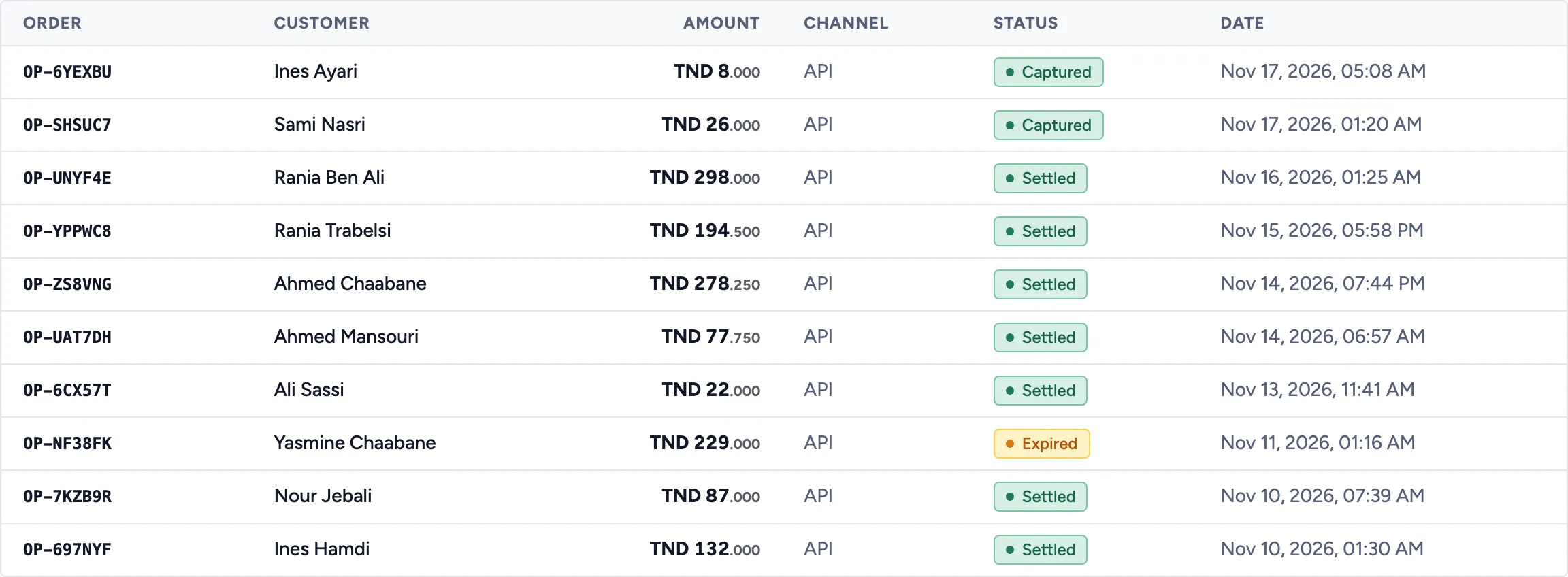
Find all your payments, whether they come from your website or a payment link, with their up-to-date status.
- A clear statusCreated, captured, settled, expired: you know where every payment stands.
- Filter by status and date rangeFind an order in seconds.
- Refund in a few clicksFull or partial, with a reason, straight from the payment.
- Where each payment comes fromYour website through the API, or a payment link: the channel is shown.
Refund · order JW-2031
- Paid
- 184.500 TND
- Already refunded
- 0.000 TND
FullPartial
Amount to refund
30.000 TND
Reason
Damaged item
RefundCustomers and products
Your customers and your catalogue, ready to use.
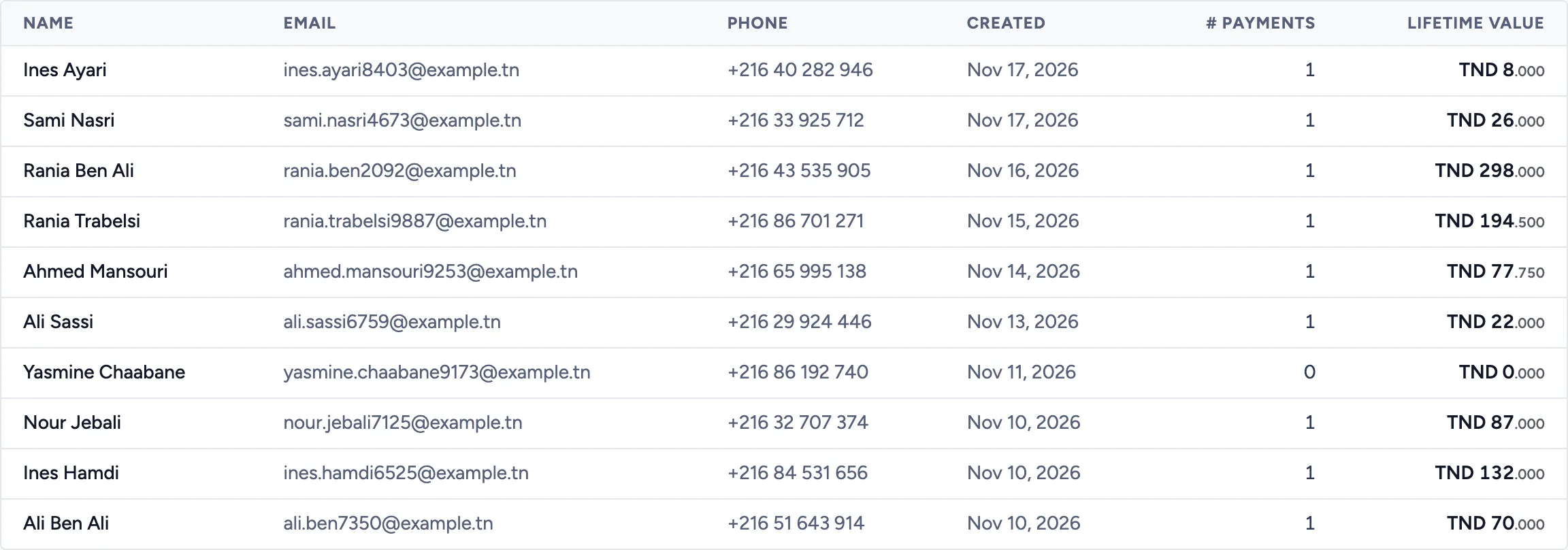
Every buyer joins your customer list with their first order. Your catalogue feeds your payment links.
- Name, email, phone, number of payments and lifetime value of each customer
- Search by name, email or phone
- Products with options and stock, events with their tickets, delivery options
Team
Invite your team, with the right access.
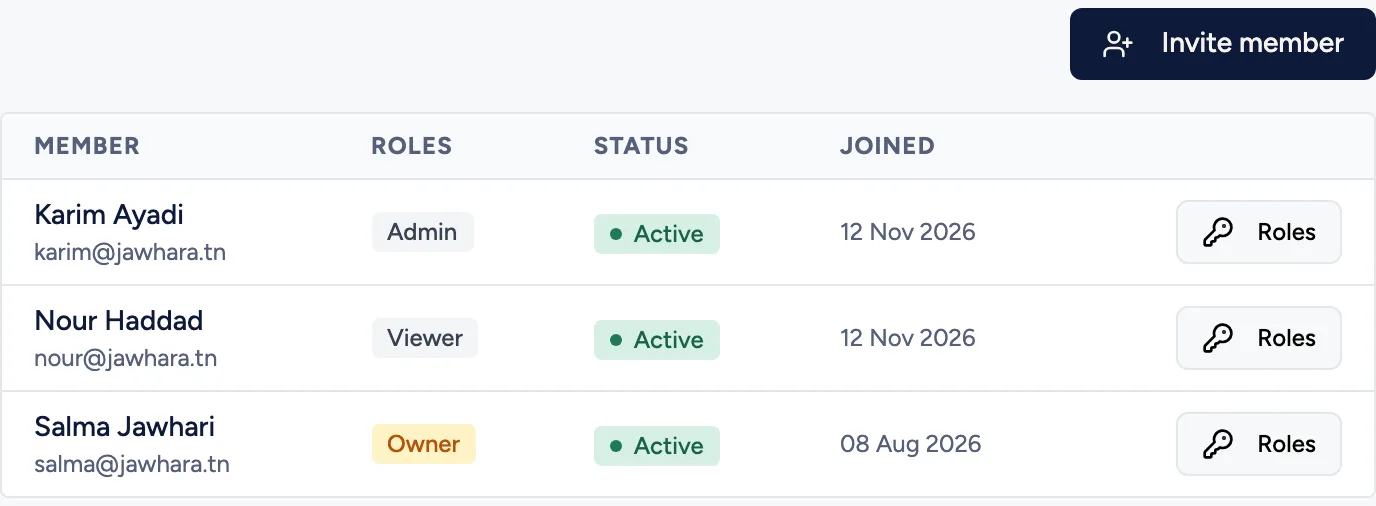
Everyone sees and does what they need, nothing more.
- Invitations by emailYour colleague gets an invitation and sets up their access.
- Ready-made rolesOwner, Admin, Member or Viewer, depending on what each person needs to do.
- Your own rolesBuild a role from the permissions you choose.
- Activity logWho changed what on your account, and when.
Developers
Your API keys and webhooks, no support ticket needed.
Everything you need to integrate the API is set in the developer settings.
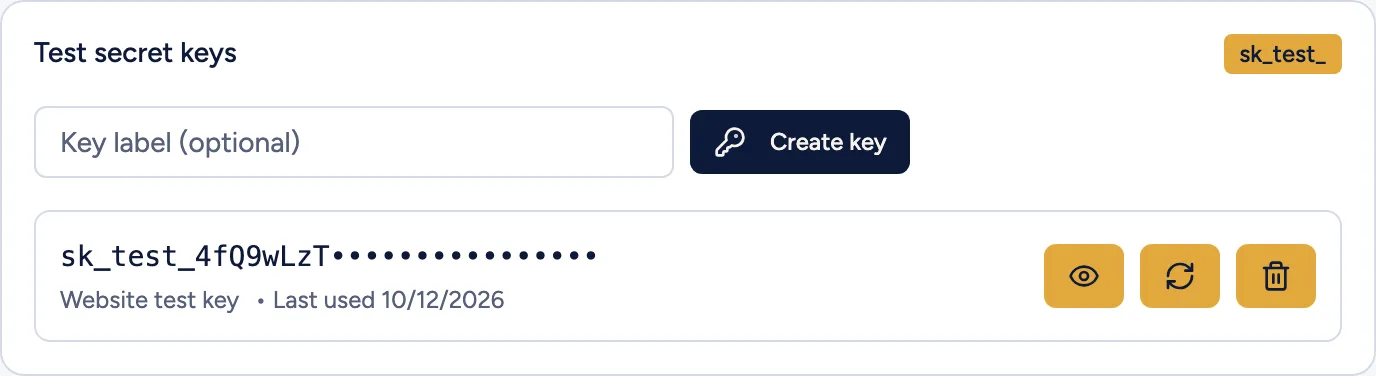
- Test and live keysCreate test keys at any time. Live keys come once your business is verified and are shown only once.
- Webhook URL and secretSet your URL and renew the signing secret whenever you like.
- Delivery logSee every webhook sent and resend the ones that failed.
- Test and live kept apartOne switch takes you from one mode to the other. Test data stays separate.
- The right alerts, in the right placeGet your account's events in the dashboard and, if you like, by email. Turn each group on or off: payments, refunds, team.
- Confirmed with your PINSensitive actions, such as creating an API key or changing your team's roles, ask for your code.
Ready to get paid online?
Create your account, try everything in test mode, then switch to live payments once your company is verified.